Cloud storage has become invisible infrastructure — until it breaks. When sync fails, when sharing links don't work, when you can't find the version from three weeks ago, suddenly the service you took for granted becomes the most important software in your workday.
This comparison looks at the three dominant cloud storage platforms — OneDrive, Google Drive, and Dropbox — through the criteria that matter in real use: storage capacity, sync reliability, sharing controls, version history, security, and pricing. We've used all three extensively. For context on how these fit into broader office suites, see our office suite comparison.
At a Glance
| Feature | OneDrive | Google Drive | Dropbox |
|---|---|---|---|
| Free tier | 5 GB | 15 GB | 2 GB |
| Entry paid (personal) | $1.99/mo (100GB) | $1.99/mo (100GB) | $9.99/mo (2TB) |
| Best value tier | $6.99/mo (1TB + Office) | $9.99/mo (2TB) | $9.99/mo (2TB) |
| Business entry | $6/user/mo (1TB) | $6/user/mo (30GB) | $15/user/mo (5TB) |
| File version history | 30 days (25+ for paid) | 30 days (100 for paid) | 30/180/365 days |
| Block-level sync | No | No | Yes |
| Bundled with office suite | Yes (Microsoft 365) | Yes (Google Workspace) | No |
Storage & Pricing
Google Drive offers the most free storage (15 GB shared with Gmail and Photos), making it the best choice if you're cost-conscious and don't need a lot of space. OneDrive's free tier is modest (5 GB) but its paid tiers are excellent value because they bundle Microsoft 365 — for $6.99/month you get 1TB of storage plus Word, Excel, PowerPoint, and Outlook. Dropbox is the most expensive option, with only 2 GB free and $9.99/month for 2TB, but it doesn't bundle an office suite.
For business plans, the calculus shifts. OneDrive Business includes 1TB per user at $6/month — the best per-GB value. Google Workspace's entry plan includes only 30GB per user (shared with email), which fills up surprisingly fast. Dropbox Business starts at $15/user/month for 5TB pooled, making it the priciest but with the most storage flexibility.
Value tip
If you need Microsoft Office anyway, Microsoft 365 Personal ($6.99/mo) gives you 1TB of OneDrive storage essentially for free — the storage alone is worth the price. This makes OneDrive the best value for anyone in the Microsoft ecosystem.
Sync Reliability
Sync is the feature you don't notice until it fails. All three sync reliably in normal conditions, but there are meaningful differences:
Dropbox has the best sync technology, period. It uses block-level sync — when a file changes, Dropbox uploads only the changed portions, not the whole file. For large files (videos, big spreadsheets, design files), this is dramatically faster. Dropbox also has the most reliable conflict resolution we've experienced, handling simultaneous edits gracefully.
OneDrive syncs well and integrates deeply with Windows (Files On-Demand shows all files in Explorer without downloading them). It occasionally stumbles with large numbers of small files, and sync conflicts are less gracefully handled than Dropbox.
Google Drive (via Google Drive for Desktop) works well but can be resource-heavy. Its streaming approach (files appear in Explorer/Finder but aren't stored locally until opened) is good for machines with limited storage, but the initial setup can be confusing.
Sharing & Collaboration
All three offer link-based sharing with permission controls (view-only, comment, edit) and expiration dates. The differences are in nuance:
Google Drive has the smoothest sharing experience, especially for documents — since Google Docs are native, sharing a link gives instant, browser-based access with no downloads needed. Real-time co-editing is built in.
OneDrive sharing is tied to Microsoft 365 — if recipients have Office, they can co-edit in real-time. If they don't, they get web-based viewing and editing through Office Online. Permission management is robust, especially in business plans with SharePoint integration.
Dropbox offers the most flexible sharing controls, including password-protected links, view-only downloads, and the ability to set view-only on files even in shared folders. Dropbox Paper (a lightweight document editor) enables some collaboration, but it's not comparable to full office suites.
Where each shines
- OneDrive: Best value with Office, Windows integration, 1TB business plans
- Google Drive: Most free storage, seamless doc sharing, best web experience
- Dropbox: Best sync tech, most flexible sharing, cross-platform reliability
Where each falls short
- OneDrive: Weakest free tier, sync can stutter with many small files
- Google Drive: Business storage is limited at entry tier, resource-heavy desktop app
- Dropbox: Most expensive, no office suite included, smallest free tier
Version History & Recovery
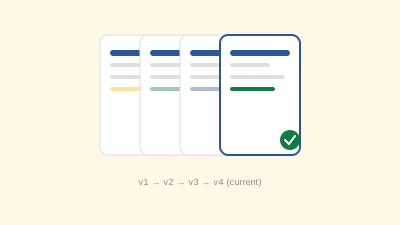
Version history saves you when someone overwrites a file or you need to see what a document looked like last month. All three offer it, with differences:
- OneDrive: 30 days on free, 25+ versions retained on paid plans. Restoration is straightforward through the web interface.
- Google Drive: 30 days on free, up to 100 versions or 30 days on paid. Google-native documents keep unlimited revision history.
- Dropbox: 30 days (free), 180 days (Plus), 365 days (Professional). The longest version history of the three on higher tiers.
Security & Privacy
All three use encryption in transit and at rest. Business plans add admin controls, audit logs, and compliance features. Key differences:
- OneDrive: Personal Vault (a protected area with identity verification), ransomware detection and recovery, deep Microsoft 365 security integration.
- Google Drive: Strong security inherited from Google infrastructure, advanced phishing/malware detection on shared files. Privacy concerns relate to Google's broader data practices.
- Dropbox: Independent security infrastructure, granular admin controls, strong encryption options on business tiers. Most neutral on data privacy.
Ecosystem Fit
The best cloud storage for you depends heavily on what else you use:
- If you use Microsoft 365: OneDrive is the obvious choice — it's integrated, included, and seamless.
- If you use Google Workspace: Google Drive is already your storage layer — adding another service creates unnecessary complexity.
- If you're tool-agnostic or use a mix: Dropbox is the most neutral, cross-platform option, but you'll pay a premium for it.
The Verdict
There's no universal winner — the right choice depends on your ecosystem, budget, and priorities:
- Choose OneDrive if you use Microsoft 365 (the bundled value is unbeatable), if you're on Windows, or if you need 1TB+ at a low price point
- Choose Google Drive if you use Google Workspace, want the most free storage, or prioritize browser-based document collaboration
- Choose Dropbox if sync reliability is critical, if you work across many platforms, or if you need the most flexible sharing controls and can afford the premium
For most people, the storage service that comes with their office suite is the right choice — the integration savings outweigh any standalone advantages. Pick the suite first, then let storage follow. And if you're organizing what you store, our digital filing system guide applies regardless of which platform you choose.